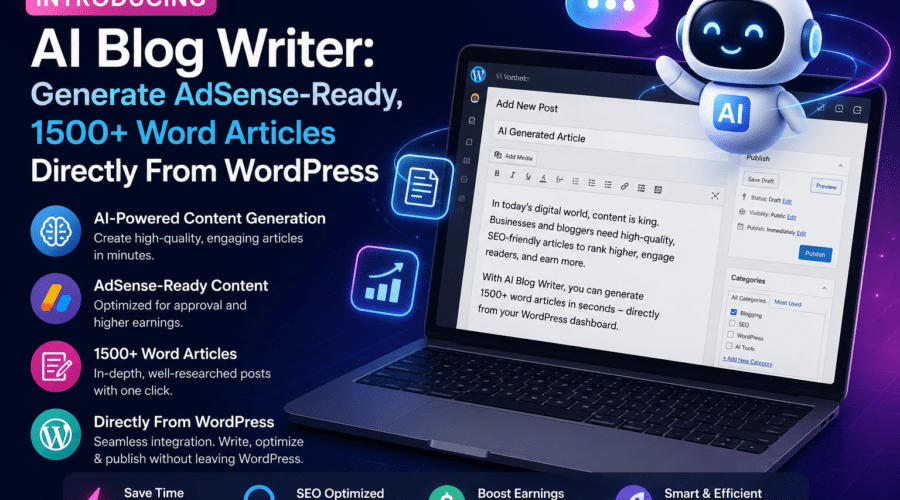
Introducing AI Blog Writer: Generate AdSense-Ready, 1500+ Word Articles Directly From WordPress
If you’ve ever stared at a blank WordPress editor at 11pm trying to crank out another article for your content site, you already know the pain. Writing consistently — and writing well enough to satisfy both Google’s quality guidelines and AdSense’s content policies — is genuinely hard work. It takes time, research, structure, and enough word count to actually rank.
That’s exactly why the AI blog writer WordPress plugin category has exploded over the last two years. Bloggers, affiliate marketers, and niche site owners are all chasing the same thing: a reliable way to generate high-quality, long-form content without burning out or blowing their budget on freelancers.
At HiRizzi, we’ve been deep in the WordPress ecosystem for years — building sites, optimizing performance, and watching content tools evolve in real time. In this post, we’re breaking down how a purpose-built AI blog writer for WordPress works, what makes content truly AdSense-ready, and what you should look for when choosing a tool that actually delivers results rather than generic filler.
What Is an AI Blog Writer WordPress Plugin?
At its core, an AI blog writer WordPress plugin is a tool that integrates directly into your WordPress dashboard and uses a large language model (LLM) — typically powered by OpenAI’s GPT models or similar — to generate full-length blog articles based on your input.
The key word there is directly. You’re not toggling between ChatGPT in one browser tab and your WordPress editor in another, then copy-pasting and reformatting everything. A proper WordPress AI content tool lives inside your admin panel. You enter a topic or keyword, configure a few settings, hit generate, and get a structured, publishable article — headings, paragraphs, and all — dropped straight into your post editor.
That workflow difference is massive for productivity. If you’re running a content site with dozens of posts per month, eliminating the friction between generation and publication saves hours every single week.
How It’s Different From Just Using ChatGPT
Using ChatGPT manually is fine for one-off tasks, but it has real limitations for WordPress publishers:
- No direct integration — you’re always copying and reformatting
- No automatic heading structure or SEO-friendly formatting
- No bulk generation capability
- No built-in content length targeting
- No AdSense-specific content guidelines baked into the prompts
A dedicated AI article generator for WordPress solves all of those friction points by wrapping the underlying AI with WordPress-native workflows and smarter, purpose-built prompting.
Why AdSense-Ready Content Matters More Than You Think
Not all AI-generated content is AdSense-ready. That’s a point worth hammering on, because a lot of publishers learn this the hard way after getting their AdSense account flagged or their application rejected.
Google’s AdSense program has clear content quality requirements. Your articles need to provide genuine value to readers. Thin content — short posts, recycled information, keyword-stuffed filler — doesn’t cut it. Google’s automated systems and human reviewers are getting better at detecting content that exists purely to harvest ad revenue without offering anything meaningful.
What Makes Content Genuinely AdSense-Friendly?
From a practical standpoint, AdSense-ready articles typically share these characteristics:
- Word count of 1,500+ words: Longer content signals depth and thoroughness. It also gives Google’s contextual ad system more signals to serve relevant ads, which improves your RPM.
- Logical structure: Proper H1, H2, and H3 hierarchy isn’t just good for SEO — it signals organized, readable content.
- Original perspective and detail: Content that goes beyond surface-level summaries and actually explores a topic with specifics.
- No prohibited topics: Violence, adult content, deceptive claims, and certain health misinformation all violate AdSense policies.
- Natural reading flow: Content that reads like it was written for humans, not search engines.
When an AI blog writer is built with AdSense monetization in mind, the prompts and output structure are engineered to hit these targets automatically. That’s a fundamentally different design philosophy than a generic content spinner.
Generating 1,500+ Word Articles: Why Length Is a Feature, Not a Vanity Metric
There’s a persistent myth in content marketing that longer articles are just padding. That’s not true when the length is earned through actual substance.
From an SEO perspective, longer content tends to rank better because it naturally covers more related terms and subtopics — what SEOs call topical depth. A 1,500-word article about best air fryer recipes for beginners has room to cover equipment tips, cooking times, temperature guidance, specific recipes, and common mistakes. A 400-word article on the same topic can barely scratch the surface.
How a Good AI Article Generator Hits the 1,500+ Word Target
Hitting a word count target without producing fluff requires smart prompt architecture. Here’s what separates quality tools from the junk:
- Outline-first generation: The AI generates a structured outline first, then populates each section with depth. This prevents the model from front-loading all the good content and trailing off into repetition.
- Section-by-section expansion: Some tools generate the article in segments rather than one giant prompt, which produces more consistent quality across the full length.
- Configurable word count targets: You should be able to tell the tool “I want 1,500 words” or “I want 2,500 words” and have it reliably deliver.
- Introduction and conclusion formatting: A properly generated article has a hook intro and a conclusion that wraps up key points — both of which contribute to dwell time and reader satisfaction signals.
Key Features to Look for in a WordPress AI Content Tool
Not every plugin in this space is worth your time or money. Here’s a practical checklist based on real evaluation criteria:
1. Native WordPress Integration
The tool should work directly in your WordPress dashboard — ideally integrating with both the Classic Editor and Gutenberg block editor. Bonus points if it supports direct publishing or draft saving without any manual steps.
2. Keyword and Topic Input
You should be able to provide a target keyword, and the tool should use it intelligently throughout the article — in the title, first paragraph, headings, and body — without keyword stuffing.
Leave a Comment